Reading time: 18 min
Table of Contents
- Key takeaways
- What Is a White Label SEO Reporting Tool?
- White Label vs Standard SEO Reports
- What Actually Gets Rebranded: Logo, Colors, Domain, and Email
- Definition
- Why Branded Reporting Quietly Decides Client Retention
- The Trust Cost of a Vendor Logo
- What this looks like in a real inbox
- From Monthly Deliverable to Sales Asset
- Must-Have Features in 2026: Beyond Logos and Colors
- Data Connectors and Integration Depth
- AI Narratives and AI Search Visibility
- Delivery, Scheduling, and Access Control
- Nine-point vendor evaluation scorecard
- What White Label SEO Reporting Software Really Costs
- Per-Client, Per-Dashboard, and Flat-Rate Models
- Total Cost of Ownership at 12, 50, and 120 Clients
- Build vs Buy vs Hybrid: Looker Studio, Spreadsheets, or a Platform
- The Real Cost of the Free Stack
- The Hybrid Model Most Agencies Should Run
- Best White Label SEO Reporting Tools in 2026: Side-by-Side
- How We Evaluated the Shortlist
- Which Tool Fits Which Agency Size
- Four things vendors obscure
- How to Launch White Label Reporting in Five Steps
- Choosing Your Rebrand Scope
- Building a Vertical Template Library
- Five-step launch checklist
- Pitfalls, Contracts, and Branding Risks to Avoid
- Reseller Terms and Client Consent
- When Transparency Beats White Labeling
- Five clauses to read before signing
- Frequently asked questions
- The Decision in Front of You
Key takeaways
- True white labeling is three things, not one: your visual identity, your delivery domain, and your sender email. A logo swap on a vendor-hosted PDF is not a white label SEO reporting tool — it is a vendor ad your client pays for.
- Pricing model beats sticker price. Below roughly 40 clients a flat tier wins; above it, per-client pricing quietly doubles your effective cost per report.
- AI visibility reporting is the 2026 differentiator. Most tools in the SERP still describe 2023-era rank tracking and ignore how brands appear inside AI-generated answers and AI Overviews.
- The hybrid model fits most agencies: a paid branded white label SEO reporting platform for the client-facing deliverable, Looker Studio or a warehouse for internal margin analysis.
Picking the wrong reporting platform costs an agency more than a subscription line item. According to Swydo’s agency reporting research, consolidating platform data into customized client dashboards saves teams more than 10 hours of manual compilation every week — and that figure only counts assembly time, not the deals lost to reports that looked like someone else’s product.
Here’s what actually happens in production: an agency owner is three weeks into a packed quarter, the monthly deliverable is due, and the fastest path is to forward the vendor’s raw PDF. The client opens it, sees a logo that isn’t yours, and starts asking why they are paying agency rates for a tool they could buy directly. That single moment is where branded client reporting stops being a design preference and becomes a revenue question.
I’ve watched agencies burn weeks evaluating white label SEO reporting tool options that all look identical on a pricing page. The market is a wall of near-identical listicles. Nobody publishes the unit economics. Nobody audits whether “75+ integrations” means a native API or a manual CSV export. Nobody tells you the exact client count where a per-seat plan stops making sense.
This article resolves that decision. We cover what actually gets rebranded, what white label SEO reports cost at 12, 50, and 120 clients, which tools survive a criteria-based comparison, and how to launch a branded reporting pipeline in two weeks without rebuilding your stack.
What Is a White Label SEO Reporting Tool?
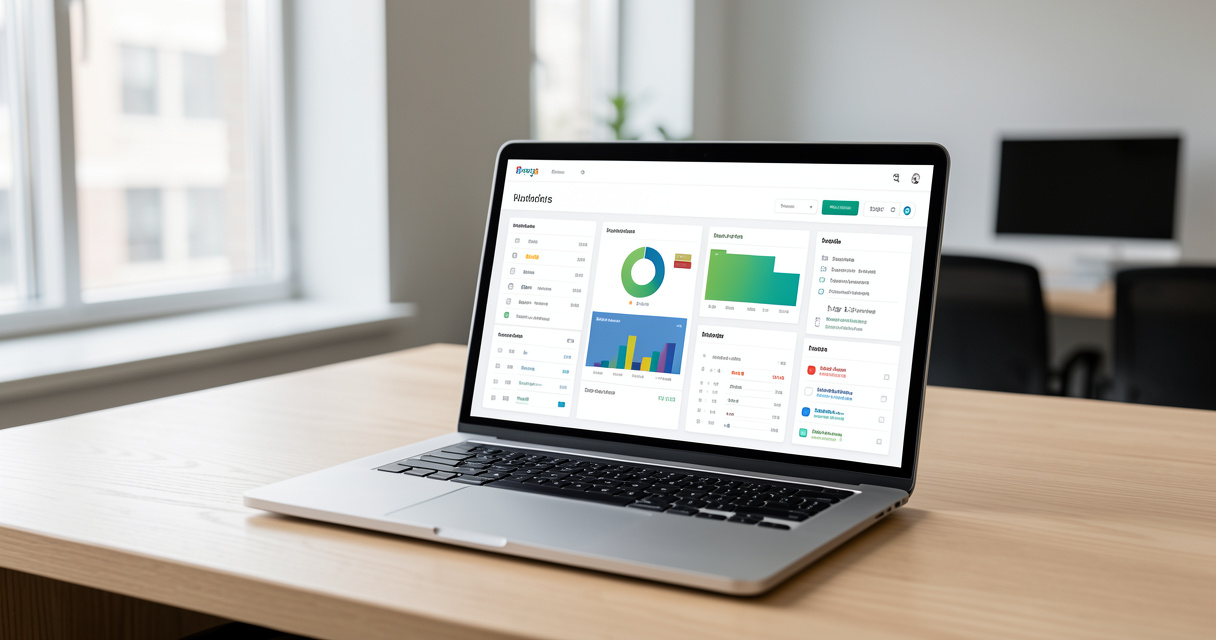
A white label SEO reporting tool is software that pulls SEO data from sources like Google Search Console, GA4, and Ahrefs, then presents it in branded reports and dashboards. Your agency’s logo, colors, custom domain, and sender email replace the vendor’s, so clients see your brand rather than the tool behind it.
Three things get confused in this category, and the confusion costs money. A reporting tool aggregates data and renders charts. A white label layer is the branding and delivery wrapper on top of it. A white label SEO suite is a different animal entirely — it bundles the reporting with rank tracking, audits, and sometimes site crawling, and it is priced accordingly. Buyers who conflate the second and third end up paying for capability they already own elsewhere.
White Label vs Standard SEO Reports
A standard report ships with the vendor’s branding baked into the header, the PDF footer, the email domain, and often the URL the client lands on. Swydo’s research on agency reporting notes that most SEO platforms display their own branding by default — which is precisely why forwarding a raw vendor export exposes your entire tool stack to the client.
A white labeled report inverts that. The client never sees a third-party name. They see your agency’s identity across every surface: the dashboard they log into, the email that announces it, the PDF they forward to their own leadership team.
What Actually Gets Rebranded: Logo, Colors, Domain, and Email
- Logo and favicon — appears in the report header, PDF exports, and the client portal tab.
- Color palette and typography — consistent across charts, tables, and narrative blocks.
- Custom report domain — reports.yourclientbrand.com instead of a vendor subdomain.
- Sender email identity — scheduled delivery arrives from reports@youragency.com, not a platform address.
- PDF footer and cover page — the most-forwarded artifact in client organizations.
Definition
A white label SEO reporting tool is software that aggregates SEO and marketing data, then presents it under your agency’s brand instead of the vendor’s. True white labeling requires three elements: visual identity (logo, colors, fonts), delivery domain (a custom URL you control), and sender identity (an email address on your domain). Miss any one of them and the client can still trace the tool.
Now that the definitions are clean, the next question is commercial: what does branded reporting actually change inside a client relationship?
Why Branded Reporting Quietly Decides Client Retention
Let me be specific, because this is where most agencies underestimate the stakes. The report is the single most frequent artifact your agency puts in front of a client. If you run monthly deliverables, a client sees twelve branded touchpoints a year. If you run weekly, it is fifty-two. Nothing else in your service mix — not the strategy call, not the quarterly review — matches that frequency.
According to Swydo’s agency reporting research, agencies can save 10+ hours weekly on manual report compilation by consolidating platform data into customized client dashboards. And DataBlo’s white label reporting analysis notes that agencies using these tools typically service between 12 and 120 clients. Run the math out loud: at 50 clients, even 15 minutes of manual assembly per client per month is roughly a full working day. At 120 clients, it is two and a half days — every month — spent on copy-paste instead of client work.
That is the cost side. Here is the revenue side. Agency client retention is driven by perceived momentum, and perceived momentum is driven by how clearly the client can see progress. A branded report that opens with a narrative summary and a trend line does more for renewal conversations than a raw data dump with a vendor logo on top.
The Trust Cost of a Vendor Logo
Clients are not naive about tools. Many in-house marketing leads have used the same platforms you have. When they open a report and see a third-party brand, the question that forms is not “what tool is this” — it is “what am I actually paying this agency for.”
What this looks like in a real inbox
An agency owner I worked with was mid-close on a retainer renewal when a busy month hit. She forwarded the platform’s default PDF to the client rather than rebuilding the branded version. The client replied within the hour with a single line: “Is this what I’m paying you for — a dashboard I could subscribe to myself for $99?” The renewal closed, but at a discount, and the agency spent the next quarter rebuilding trust it had already earned. One unbranded export undid eight months of positioning.
From Monthly Deliverable to Sales Asset
Once reports are branded and automated, they stop being overhead and start being collateral. Agencies we work with at Rebirth Distribution use their report output in three ways beyond the client relationship:
- Prospect education — a redacted sample report is more convincing than a case study PDF, because it shows the actual cadence and depth of communication.
- Upsell framing — a report that shows a metric plateauing in one channel is the natural setup for a scope expansion conversation.
- Retention early warning — a client who stops opening reports is a client who is drifting. Open rates are leading indicators.
That is the retention case. The harder question is what these tools actually need to do in 2026 — and where most of them fall short.

Must-Have Features in 2026: Beyond Logos and Colors
Custom branding is table stakes. Every tool on every listicle has it. The features that separate a branded SEO dashboard you can run a business on from one that becomes shelfware fall into three buckets: how data gets in, what the tool does with it, and how it reaches the client.
Data Connectors and Integration Depth
Vendors love the phrase “connects to 75+ platforms.” Swydo’s research does cite platforms pulling data from 75+ marketing and SEO sources into customized client dashboards — and for the top tier of tools, that number is real. The problem is how the connection is made.
Three connection types exist, and they have wildly different reliability profiles:
- Native API integration — the tool authenticates directly with Google Search Console, GA4, or Ahrefs. Data refreshes automatically. This is what you want for your core three sources.
- Middleware integration — the connection runs through Zapier, Make, or a similar layer. It works, but it introduces a second failure point and a second bill.
- Manual CSV import — marketed as an “integration” on some pricing pages. It is not. It is a spreadsheet upload, and it means human labor every reporting cycle.
Then there are the platform-specific limits nobody documents. Google Search Console’s API caps rows per request and delays data by two to three days. GA4 applies thresholding that suppresses data on low-traffic properties — which is exactly the situation for most local clients. Looker Studio connectors have their own per-request quotas that break on high-volume dashboards. Ask about all three on a demo call. Vendors who know their stack will answer immediately.
AI Narratives and AI Search Visibility
This is where the category moved in 2025 and 2026, and where most of the current top 10 still describes 2023-era rank tracking.
Two capabilities matter now. The first is AI-generated narrative: the tool writes the commentary layer — what changed, why it likely changed, what to do next — in editable blocks the agency can edit before delivery. That kills the blank-page problem on a Sunday night before the Monday send.
The second is AI visibility tracking. An AI SEO reporting tool in 2026 tracks whether a brand is cited in AI-generated answers and AI Overviews, not just where it ranks in a blue-link list. For clients in competitive categories, this is rapidly becoming a metric they ask about before you bring it up. If your reporting stack cannot show it, you are reporting on a shrinking share of how people actually find things.
Delivery, Scheduling, and Access Control
The delivery layer is where white labeling either holds or leaks. Check four things:
- Custom domain client portal — the login URL must be on your domain, not a vendor subdomain.
- Report scheduling — automated sends on a fixed cadence, with per-client timezone handling.
- Permission levels — some clients need a single viewer seat; multi-location clients need location-scoped access.
- PDF export controls — confirm that lower pricing tiers do not watermark exports.
Nine-point vendor evaluation scorecard
- Custom report domain on your plan? Ask: “Is the client-portal URL on my domain at my pricing tier?”
- Branded sender email? Ask: “Can scheduled reports send from an address on my domain?”
- GSC and GA4 native sync? Ask: “Is this a direct API integration or a middleware connection?”
- Per-client seat billing or flat? Ask: “What happens to my bill at 60 clients?”
- AI narrative blocks editable? Ask: “Can I override generated commentary before a send?”
- AI visibility tracking included? Ask: “Do you track brand mentions in AI answers and AI Overviews?”
- Data portability on exit? Ask: “Can I export all client history if I leave?”
- Export restrictions by tier? Ask: “Are PDF exports watermarked on this plan?”
- Contract exit terms? Ask: “What is the notice period and are there overage fees?”
With the feature bar set, the next section is the one nobody in this SERP has published: the actual unit economics.
What White Label SEO Reporting Software Really Costs
Pricing pages hide the model. They show a number and a tier name. What they do not show is how that number behaves when your client count grows — and that is the only variable that matters for agency reporting tool pricing.
Per-Client, Per-Dashboard, and Flat-Rate Models
Reference points from the market: Semrush delivers its white label features through the Agency Growth Kit at approximately $100 per month, and Ahrefs plans start around $99 per month with the advanced tier reaching roughly $399 per month, per Outsource Accelerator’s review of white label SEO tools. Those are the flat-rate anchors.
| Pricing model | How the vendor charges | Typical entry cost | Scales badly when | Best fit agency size |
|---|---|---|---|---|
| Flat tier | Fixed monthly fee, seat or client cap | $99–$399/month | You exceed the cap and jump a full tier for one client | 1–25 clients |
| Per-client seat | Base fee + $X per managed client | $50 base + $5–$15/client | You pass ~40 clients and the per-seat line dwarfs the base | 10–60 clients |
| Per-dashboard | Charged per connected data source or dashboard | $10–$30 per dashboard | Multi-location clients each need 4–6 dashboards | 3–20 clients |
| Hybrid platform bundle | Reporting bundled with audit/rank tools | $200–$500/month | You already pay for rank tracking elsewhere | 25–120 clients |
Total Cost of Ownership at 12, 50, and 120 Clients
Here is where the math gets honest. Reporting software is never your only cost. You still need the underlying SEO data subscriptions, and at scale you need someone to maintain the connection layer.
At 12 clients: a flat tier at $99–$199/month covers everyone. Add one data subscription at ~$99/month. Total: roughly $200–$300/month. Cost per client per month: $17–$25. A DIY stack saves you maybe $150/month and costs you 8–10 hours of build and maintenance. At your hourly rate, DIY is the expensive option.
At 50 clients: the per-seat model starts to hurt. A $50 base plus $10 per client lands at $550/month. A flat enterprise tier at $399/month with a 50-client cap is cheaper, but you are one client away from a tier jump. Add data subscriptions at ~$200/month for broader API access. Total: roughly $600–$750/month. Cost per client: $12–$15. This is the crossover zone.
At 120 clients: per-seat pricing collapses as a model. At $10/client, you are paying $1,200/month before the base fee. Enterprise flat tiers with negotiated caps land at $600–$900/month. Data subscriptions climb to $400+/month because API volume is real. Total: roughly $1,000–$1,400/month. Cost per client: $8–$12 — the cheapest per-client figure of the three, which is exactly why volume changes the buying decision.
The decision rule: below roughly 40 clients, buy flat. Above 40, negotiate enterprise flat or accept per-seat only if the vendor caps the per-seat rate. Nobody publishes that line. It is the single most useful number in this category.
Cost settled, the question becomes whether to buy at all — or to build the free stack everyone recommends on Reddit.
Build vs Buy vs Hybrid: Looker Studio, Spreadsheets, or a Platform
I’ll give the free stack its due before dismantling it, because the argument for it is real.
A Google Search Console plus GA4 plus Looker Studio stack genuinely costs nothing in licenses. It is a legitimate Looker Studio white label alternative if your team has the technical capacity to build and maintain it.
The Real Cost of the Free Stack
What the free stack actually requires: someone to build the connector logic, someone to handle OAuth refresh failures when a client changes their Google account password, someone to rebuild the template when Search Console’s API changes a field, and someone to manually pull data for every client whose property has GA4 thresholding applied.
Then there is the template problem. A Looker Studio template that takes you thirty hours to build is a template any agency can find in a community forum. You end up in a monthly deliverable that looks identical to a competitor’s. That is not a branding failure you can fix with a font change.
| Approach | Upfront effort | Monthly cost | Branding control | Breaks when | Recommended for |
|---|---|---|---|---|---|
| DIY Looker Studio | 20–40 hours | $0 licenses | Medium — custom logo, template is generic | Google API changes, client OAuth resets | Technical teams under 10 clients |
| Spreadsheet templates | 4–8 hours | $0 | Low | Client count passes 15 | Solo operators with 2–5 clients |
| Paid white label platform | 2–5 hours setup | $99–$900 | High — full identity, domain, email | Vendor pricing tier changes | Agencies above 10 clients |
| Hybrid | 6–12 hours | $99–$900 + $0 BI | High externally, flexible internally | Coordinated poorly across systems | Most agencies above 20 clients |
The Hybrid Model Most Agencies Should Run
Here is the pattern I recommend. Use a paid white label SEO reporting platform for everything the client sees — the branded dashboard, the scheduled email, the PDF export. Use Looker Studio or a lightweight warehouse for internal analysis: revenue per client, delivery-hour tracking, churn signals, margin per retainer.
The reason is simple. Client-facing reporting needs reliability and brand consistency. Internal analysis needs flexibility and depth, and nobody outside your team cares what it looks like. Trying to make one system do both produces a dashboard that is too complex for clients and too shallow for you.
Decision rule: if your technical capacity is one part-time ops person and you have more than 15 clients, buy. If you have a dedicated data engineer and fewer than 10 clients, build. Everyone in between should run hybrid.
Now, the comparison table the SERP refuses to build.
Best White Label SEO Reporting Tools in 2026: Side-by-Side
This is a criteria-based comparison, not a listicle. OneLittleWeb produced a 2026 ranking of the best white label SEO tools after hands-on testing of more than 30 products, and that scale of testing is the baseline for taking any ranking seriously. I am evaluating against a different axis here: white-label depth, pricing model behavior at scale, and who each tool is wrong for.
How We Evaluated the Shortlist
Five criteria, weighted by how much they affect operating cost:
- White-label depth — domain, sender email, portal, PDF footer. Partial branding counts as partial.
- Pricing model behavior — what happens at 12, 50, and 120 clients, not the entry price.
- Native integration coverage — GSC and GA4 direct API versus middleware versus CSV.
- AI capability — narrative generation and AI visibility tracking.
- Exit terms — data portability and notice period. The clause nobody reads until it matters.
Which Tool Fits Which Agency Size
| Tool | Starting price | Pricing model | Native integrations | Custom domain | AI narrative | AI visibility tracking | Best for |
|---|---|---|---|---|---|---|---|
| AgencyAnalytics | ~$79/month | Per-client seat | Broad (80+ sources, mostly native) | Mid tier and up | Limited | Partial | Full-service agencies, 15–60 clients |
| Whatagraph | ~$199/month | Flat + client caps | Strong on GA4/GSC, marketing channels | Yes | Yes | Limited | Marketing agencies with visual reporting needs |
| Swydo | ~$49/month | Per-client seat | 75+ platforms cited | Yes | Yes | Limited | SEO specialists, 10–40 clients |
| BrightLocal | ~$39/month | Per-location | GBP, local directories, review platforms | Yes | Limited | No | Local SEO and multi-location agencies |
| SEOptimer | ~$29/month | Flat + report volume | Audit-focused, lighter connectors | Higher tiers only | Limited | No | Audit-led agencies, low-volume reporting |
| SearchAtlas | ~$99/month | Flat + agency bundle | Broad SEO suite integrations | Yes | Yes | Emerging | Agencies wanting suite + reporting in one bill |
| Semrush Agency Growth Kit | ~$100/month add-on | Add-on to Semrush plan | Semrush-native plus core sources | Yes | Yes | Yes (within Semrush) | Semrush subscribers already paying for data |
Two things this table exposes. First, per-client seat pricing dominates the mid-market, which means the 40-client crossover is where most agencies get surprised. Second, AI visibility tracking is still rare — Semrush has it, most others list it as emerging or absent.
Four things vendors obscure
- Connector method. “Integration” can mean native API, Zapier middleware, or a CSV upload. Only one of those is automation.
- Seat limits. Several entry tiers cap client seats at three to five. Confirm what happens at client six.
- Branding restrictions on lower tiers. Custom domain access and unwatermarked PDF exports are frequently gated to mid or top plans.
- Contract exit terms. Data portability, notice period, and overage fees. Read these before you sign, not after you need them.
You know the tools. Here is the implementation path.
How to Launch White Label Reporting in Five Steps
This is the playbook. Two weeks from decision to first branded report, assuming you already know which platform you are buying.
Choosing Your Rebrand Scope
Decide what you will and will not rebrand before you touch the platform. The default position should be: everything the client sees carries your brand, everything internal does not. Internal dashboards, team notes, and QA checklists stay unbranded — branding them adds work with no client benefit.
Have a client-facing white label SEO report template in mind before you configure anything. A report template is a structure decision, not a design decision: what appears first, what the narrative covers, which KPIs anchor the page. Design comes after.
Building a Vertical Template Library
Three to five templates covers almost every agency. Build one each for: local service businesses (map pack, GBP metrics, call tracking), ecommerce (revenue attribution, product page performance), SaaS (organic pipeline, non-brand query growth), professional services (local plus authority signals), and multi-location clients (location-scoped rollups).
DataBlo’s analysis of white label reporting notes that customization is what keeps clients opening reports. A dentist who sees chair-count-adjacent metrics reads the whole report. A dentist who sees bounce rate scrolls past it.
Five-step launch checklist
- Define rebrand scope — client-facing versus internal surfaces. Time: 2 hours.
- Connect and validate data sources — GSC, GA4, rank tracker; reconcile one month of numbers against the client’s own analytics. Time: 4–6 hours.
- Build 3–5 vertical templates — one per client archetype in your book. Time: 6–10 hours.
- Set cadence and automate scheduling — monthly default, weekly for fast-moving campaigns, quarterly for enterprise. Time: 2 hours.
- Add the human commentary layer — edit the AI narrative on every report before it sends. Time: 15–20 min per client, recurring.
On cadence: monthly is the agency default for a reason. Weekly reports suit paid-adjacent or highly competitive campaigns where the client can actually act on a week of data. Quarterly suits enterprise procurement cycles where the report is a governance document rather than an operational one. Match cadence to how fast the client can do something with the information. Automated client reporting on a schedule the client cannot act on is noise.
Before you sign anything, though, there are five contract terms and two ethical questions that most agencies only discover after the fact.
Pitfalls, Contracts, and Branding Risks to Avoid
This section answers the questions nobody in the top 10 addresses. They are also the questions your client will eventually ask.
Reseller Terms and Client Consent
Is white label SEO reporting ethical? Yes, when the agency does real work and is honest about its stack on request. Hiding the tool behind your brand is standard industry practice and a legitimate custom domain client portal configuration. Misrepresenting a third-party platform as proprietary technology your agency built is a different thing, and it is where agencies get into trouble — not with the vendor, but with a client who later learns the truth.
On consent: in most jurisdictions, reselling aggregated performance data to a client who owns the underlying property does not require separate disclosure, because the client already granted you access to their data. What you cannot do is resell data across clients, benchmark one client against another without permission, or expose one client’s property inside another’s dashboard. Check your reseller agreement for rebranding restrictions — some vendor agency programs require their logo to remain in the PDF footer at certain tiers.
And the question that arrives eventually: “Can I have direct access to the tools?” Different clients want different things here. Some want read-only access to the platform. Some want raw exports of everything. Neither request is unreasonable, and refusing both damages trust. The practical answer is to offer your own portal as the primary access point, and to provide raw exports on request from the underlying tools. What you should not do is hand over admin credentials and lose the ability to manage the account on their behalf.
When Transparency Beats White Labeling
Here is the position most listicles will not take: white labeling everything can backfire.
Three client profiles respond better to transparency about your stack:
- Enterprise procurement teams — they run vendor risk assessments and will find out which platform you use during onboarding. Volunteering it first reads as competence, not weakness.
- In-house marketing teams — they likely use some of the same tools. Pretending otherwise creates an awkward correction they will remember.
- Regulated industries — healthcare, financial services, and legal clients have compliance obligations that may require knowing where their data is processed.
The hybrid brand model works here: fully branded client-facing reports, plus a short “our stack” page or a line in the proposal naming the platforms you use. You get the retention benefits of branded delivery and the credibility benefits of transparency. It is a stronger position than either extreme.
Five clauses to read before signing
- Rebranding restrictions — some programs require vendor attribution at lower tiers.
- Seat and client limits — confirm the overage rate, not just the cap.
- Data portability on exit — can you export all historical client data if you leave?
- Subcontracting disclosure — whether you are permitted to resell without naming the vendor.
- Overage fees — what a report over the monthly limit actually costs.
One last operating habit that prevents the most common failure: audit your automated reports quarterly. APIs change, properties get reconfigured, and a scheduled report that has been running untouched for six months is a scheduled report that may be shipping stale or broken metrics to a client who has not mentioned it yet. Fifteen minutes per client, once a quarter, is cheap insurance.
Frequently asked questions
What is a white label SEO reporting tool?
It is software that aggregates SEO data from sources like Google Search Console, GA4, and Ahrefs, then outputs reports and dashboards under your agency’s brand — logo, colors, custom domain, and sender email. The client never sees the underlying vendor’s identity.
How much does white label SEO reporting software cost?
Three pricing models dominate: flat tiers at roughly $99–$399 per month, per-client seats at $5–$15 per client on top of a base fee, and per-dashboard pricing at $10–$30 per dashboard. Add-on kits like Semrush’s Agency Growth Kit sit near $100 per month. Per-client pricing changes the math dramatically past roughly 40 clients.
Is white label SEO reporting ethical?
Yes, when the agency delivers real work and discloses its stack on request. Hiding the tool behind your own brand is standard practice and does not mislead clients about the service they receive. Claiming you built proprietary technology when you did not is a different matter and damages trust when discovered.
Can I use my own domain for client reports?
Most mid-tier and enterprise plans support a custom report domain and a branded sender email. Entry tiers frequently restrict or omit this. Verify it before purchase — it is the single most visible white label element in daily client experience.
What integrations should a white label reporting tool have?
Prioritize native Google Search Console, GA4, and at least one rank-tracking source. Then add Ahrefs, Semrush, or Moz depending on what you already pay for. For every connector, confirm whether it is a direct API integration, a middleware connection through Zapier, or a manual CSV upload — only the first two are automation.
How do I white label SEO reports for free?
Build a Looker Studio template on top of GA4 and Search Console, add your logo and colors, and share it as a view-only link on a custom subdomain. It costs nothing in licenses but requires 20–40 hours of build time, breaks when Google changes API fields, and leaves you without automated scheduling or branded email delivery.
How often should clients receive SEO reports?
Monthly is the agency default. Weekly or bi-weekly suits fast-moving campaigns where the client can act quickly on the data. Quarterly suits enterprise reporting cycles where the report functions as a governance document. Match cadence to how fast the client can actually respond to what they read.
The Decision in Front of You
Four things decide this purchase, and none of them is the logo.
- True white labeling covers visual identity, delivery domain, and sender email. A logo swap on a vendor-hosted PDF is not a white label SEO reporting tool — it is a vendor ad with your name in the header.
- Pricing model matters more than sticker price past roughly 40 clients. Per-seat plans look cheap at 10 clients and expensive at 60. Run your own numbers at your projected client count before you commit.
- AI visibility reporting is the 2026 differentiator most tools still ignore. If your dashboard cannot show how the brand appears in AI answers and AI Overviews, you are reporting on a shrinking share of discovery.
- The hybrid model fits most agencies: a paid branded platform for the client-facing deliverable, Looker Studio or a warehouse for internal margin and churn analysis.
The action is straightforward. Shortlist three tools from the comparison table. Run the same client report through all three during their trials. Compare not the feature list but the artifact your client would actually receive — the domain they land on, the email that delivers it, the PDF they forward to their boss.
Then look at the last report your agency sent. Does it look like your agency — or does it look like someone else’s tool?